Brand Identity Manual
The official guide to the SARHANE Studio brand.
Usage Guidelines
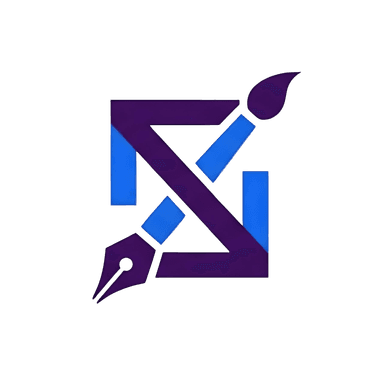
The SARHANE Studio logo is the primary identifier of our brand. It should be used consistently across all materials.
- Maintain a clear space around the logo, equal to at least 50% of its width.
- Do not alter, rotate, or distort the logo in any way.
- Prefer the full-color version on dark backgrounds for maximum impact.
Primary
Background
Accent
Space Grotesk
Used for all headings. Its futuristic and technical feel establishes a bold, modern tone.
Aa Bb Cc Dd Ee Ff
Inter
Used for all body copy. It is clean, highly readable, and provides a professional and clear reading experience.
Aa Bb Cc Dd Ee Ff
Icons from the Lucide library are used for social media links to maintain a clean and consistent aesthetic.
Visuals embrace a "glassmorphism" style with blurred backgrounds and floating elements. Imagery should feel futuristic, abstract, and high-tech, often incorporating neon glows and dark, moody color schemes.
Buttons & Hovers
Buttons provide clear interactive feedback. The primary call-to-action buttons use a `btn-glow-primary` class for a pulsating shadow effect on hover. Navigational buttons often include an arrow icon that animates on hover, while destructive actions like signing out feature a clear icon transition.
Custom Cursors
Download PackA variety of unique cursor skins are available to enhance the user experience, from a 'glass orb' to geometric 'Zelij' patterns. Each has a distinct hover animation. A downloadable pack is available for Windows users.
Glass Orb
Neon Ring
Target Reticle
Glitchy Square
Diamond Pointer
Star Burst
Liquid Metal
Scanner Line
Vortex
Sonic Boom
Zelij: Najma Star
Zelij: Square Cross
Zelij: Mosaic Tile
Zelij: Chevron
Zelij: Intersect
Glassmorphism Cards
Cards use a semi-transparent, blurred background (`glass-card`) to create a sense of depth and a floating, modern feel over the dynamic background elements.
This is a glass card.
Holiday Banners
Dynamic banners can be enabled for special occasions. These banners are draggable and feature a subtle glow animation, adding a timely and celebratory feel to the brand.
Happy Holidays!
Liquid Orbs
Animated liquid orbs float in the foreground, adding a layer of depth and dynamic energy. Their color, size, blur, and opacity are all customizable, allowing for a unique, fluid aesthetic that enhances the site's futuristic feel.
Creative
Imaginative, artistic, and forward-thinking.
Professional
Clear, confident, expert-driven, and reliable.
Futuristic
Inspired by technology, innovation, and modern aesthetics.